
The tech support pop-up scam tricks users into believing their computer is infected. Full-screen browser warnings, blaring alarm sounds, and fake Microsoft or Apple logos push victims to call a “support line” that connects to fraudsters who demand payment or remote access.
How Tech Support Pop-Up Scams Work
- Malicious ad or site triggers a browser pop-up that locks the screen.
- Fake warning: “Your PC is infected — call this number immediately.”
- Phone social engineering: Scammer claims to be Microsoft, Apple, or Norton support.
- Remote access: Victim installs AnyDesk, TeamViewer, or similar.
- Payment: Gift cards, wire transfers, or crypto for fake repairs.
Red Flags
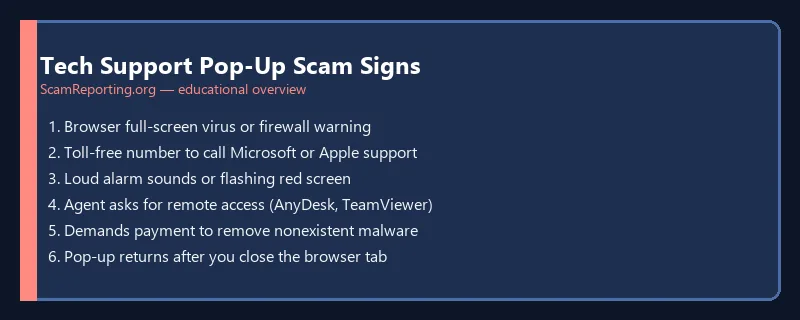
- Browser pop-ups with toll-free numbers (real Microsoft does not display phone numbers in warnings)
- Alarm sounds or flashing red screens inside a web page
- Requests to install remote access software from an unsolicited caller
- Demands for gift cards or cryptocurrency to “fix” malware
- Claims that your license expired or illegal files were detected
How to Close a Fake Pop-Up Safely
- Do not call the number on the screen
- Force-quit the browser (Task Manager on Windows, Force Quit on Mac)
- Do not click “OK,” “Scan,” or “Remove viruses” inside the pop-up
- Clear browser cache and check for unwanted extensions
- Run a legitimate scan with Windows Defender, Malwarebytes, or your installed antivirus
If You Already Gave Remote Access
- Disconnect from the internet immediately
- Uninstall remote access software the scammer installed
- Change passwords from a different, clean device
- Contact your bank if you shared financial information
- Report at ScamReporting.org and FTC ReportFraud.ftc.gov
Prevention Tips
- Enable pop-up blockers and keep browsers updated
- Never grant remote access to unsolicited callers
- Learn phishing tactics used alongside pop-up scams
- Review stay safe best practices for device security
Frequently Asked Questions
Are Microsoft virus warnings in my browser real?
Almost never. Microsoft does not scan your PC through a website pop-up or display a phone number to call.
Can a pop-up scam install real malware?
Some malicious ads exploit browser bugs, but most damage comes from calling the number and granting remote access.
Last reviewed: June 2026.
Was this guide helpful?
Your feedback helps us prioritize updates. We do not collect any personal data.
Thanks — recorded.