
Quick answer: To report a scam website, report it to the FTC at ReportFraud.ftc.gov and the FBI’s IC3 at IC3.gov, flag it to Google Safe Browsing and Microsoft, and notify the site’s domain registrar and hosting provider. If you paid, contact your bank or card issuer to dispute the charge.
Free checks: Scamil Email Checker · Scam Checker · Scammer Lookup
Fake shops, phishing pages, and fraudulent investment sites appear every day — and knowing how to report a scam website helps get it blocked and taken down. This guide covers how to check whether a website is a scam first, then exactly where to report it so browsers warn other users. Before you buy or enter details on an unfamiliar site, paste the link or message into our Scam Checker and look up the domain with Scammer Lookup.
Where to report a scam website (official)
- FTC — ReportFraud — reportfraud.ftc.gov · 877-438-4338
- FBI IC3 — ic3.gov (online complaint)
- Google Safe Browsing — report a phishing site
Official links open in a new tab. ScamReporting.org is an independent resource and is not affiliated with these agencies.
How to Check If a Website Is a Scam First
Before reporting, confirm your suspicion with a few quick checks:
- Look at the URL for misspellings, extra words, or odd domains impersonating a known brand.
- Check the domain age — brand-new domains selling brand-name goods at deep discounts are a red flag.
- Find contact details — missing address, no working phone, or only a web form is suspicious.
- Read reviews off-site rather than trusting testimonials on the page itself.
- Watch payment methods — demands for gift cards, wire, crypto, or bank transfer only.
- Run the link through the Scam Checker and check the sender with Scammer Lookup.
Where to Report a Scam Website
- FTC: report at ReportFraud.ftc.gov.
- FBI IC3: file at ic3.gov — see how to report a scammer to the FBI.
- Google Safe Browsing: report phishing and malware pages so Chrome warns users.
- Microsoft: report unsafe sites so Edge and SmartScreen flag them.
- Domain registrar & host: a WHOIS lookup shows the registrar; report abuse to them and the hosting provider.
- The impersonated brand: most companies have a “report phishing” or fraud address.
- Your state attorney general for consumer-protection follow-up.
How to Report a Fake Online Store
- Stop and do not complete the purchase if you have not already paid.
- Dispute the charge with your card issuer if you paid — see how to report credit card fraud.
- Screenshot everything — the listing, checkout, URL, and any messages.
- Report to the FTC and IC3 with the site URL and your evidence.
- Flag the site to Google Safe Browsing and the payment platform used.
- Warn others by filing on our report a scam form.
How to Report a Scam Website to Browsers
Browser safe-browsing programs warn millions of users, so reporting there has outsized impact. Report phishing and malware pages to Google Safe Browsing so Chrome and other Chromium browsers display a warning, and to Microsoft so Edge and SmartScreen flag the site. If the scam spread through ads, report the ad to the ad network as well. These warnings often appear faster than a full takedown, cutting off the scammer’s traffic while other reports work through the system.
How to Report a Scam Website to Its Host and Registrar
Every domain has a registrar (where it was registered) and a hosting provider (where the site lives). A public WHOIS lookup usually reveals the registrar and an abuse contact. Send a concise abuse report with the scam URL, a description, and any evidence — registrars and hosts can suspend domains and accounts that violate their terms. If the site impersonates a specific brand, notify that company’s security or anti-phishing team too, since brands can escalate takedowns through channels consumers cannot.
Reporting Phishing Websites
Phishing sites imitate a login page to steal credentials. Report them to Google Safe Browsing, the impersonated company, and the FTC. If you entered a password, change it immediately and enable two-factor authentication. Forward phishing emails to your email provider, and check suspicious messages first with the Scamil Email Checker. Related reading: QR code phishing and smishing examples.
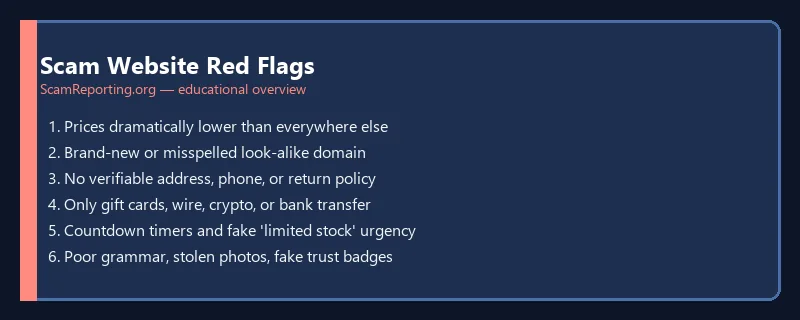
Scam Website Red Flags
- Prices dramatically lower than everywhere else
- Brand-new or misspelled domain impersonating a known store
- No verifiable address, phone, or return policy
- Only accepts gift cards, wire transfers, crypto, or bank transfer
- Pressure countdown timers and “limited stock” urgency
- Poor grammar, stolen product photos, or fake trust badges
Types of Scam Websites
Reporting is similar across these, but recognizing the type helps you describe it accurately:
- Fake online stores — take payment and never ship, or send counterfeits.
- Phishing sites — imitate a bank, retailer, or email login to steal credentials.
- Fake investment and crypto platforms — show fake “gains” to lure deposits.
- Tech-support and virus-warning pages — scare you into calling a fake help line.
- Lookalike / typosquatting domains — mimic a real brand with a slightly altered URL.
- Advance-fee and prize sites — promise winnings or loans for an upfront “fee.”
How Scam Websites Trick You
Fraudulent sites borrow the look of legitimate businesses: stolen logos and product photos, fake trust badges, invented reviews, and a padlock (HTTPS) that only means the connection is encrypted — not that the site is honest. They drive traffic through social ads, marketplace listings, and phishing messages, then create urgency with countdown timers and “only a few left” warnings. Because a professional-looking site is cheap to build, appearance is never proof of legitimacy — verification is. When a link arrives unexpectedly, check it with the Scam Checker before clicking.
After Reporting: Protect Yourself
- Dispute any payment with your bank or card issuer right away.
- Change passwords you may have entered, and turn on two-factor authentication.
- Watch your statements for follow-up charges.
- Freeze your credit if you shared personal identifiers.
- Keep your evidence and report numbers in case of follow-up.
Warn Others After You Report
Reporting to agencies works slowly; warning people directly works immediately. After you file, leave an honest review on independent review sites, post a warning in relevant community groups, and tell friends or family who shop the same places. File the site on our report a scam form so the URL and tactic are documented for the next person who searches for it. The faster a scam site’s reputation catches up with it, the fewer people it can reach — your report is part of that early-warning network, and it costs the scammer their most valuable asset: unsuspecting traffic.
What to Do If You Already Paid a Scam Website
Act quickly. Contact your bank or card issuer to dispute the charge, and gather your evidence. If you entered personal information, consider a credit freeze and review how to report identity theft. For recovery odds by payment method, see can you get money back after a scam, and avoid recovery room scams promising to get your money back for a fee.
Frequently Asked Questions
How do I report a scam website?
Report to the FTC at ReportFraud.ftc.gov and the FBI at IC3.gov, flag it to Google Safe Browsing and the impersonated brand, and notify the domain registrar and host.
How do I check if a website is a scam?
Inspect the URL and domain age, look for real contact details and off-site reviews, and be wary of gift-card or crypto-only payments. Run the link through the Scam Checker.
Can I get a scam website taken down?
Reporting to the registrar, host, and browser safe-browsing programs can lead to warnings or removal, though timelines vary.
Is reporting a scam website free?
Yes. The FTC, IC3, and browser reporting tools are all free.
What if I already paid on a scam website?
Contact your bank or card issuer to dispute the charge immediately, save your evidence, and report the site to the FTC and IC3.
Should I reply to the scam site to get a refund?
No. Dispute through your bank instead; contacting the scammer often leads to more pressure or a follow-up recovery scam.
How do I report a scam website to Google?
Use Google Safe Browsing’s report-phishing page to submit the URL so Chrome and other browsers warn users. Report to Microsoft as well for Edge and SmartScreen.
Does HTTPS or a padlock mean a website is safe?
No. A padlock only means the connection is encrypted. Scam sites can have HTTPS too — judge legitimacy by the seller, reviews, and payment methods, not the padlock.
How do I find out who hosts a scam website?
Use a public WHOIS lookup to find the registrar and abuse contact, then send an abuse report to the registrar and hosting provider with the scam URL and evidence.
How long does it take to get a scam website taken down?
It varies widely — browser warnings can appear within days, while full registrar or host takedowns may take longer. Reporting to multiple channels at once gives the fastest results.
Can I report a scam website that targeted someone else?
Yes. You can report any fraudulent site you encounter to the FTC, IC3, and browser safe-browsing programs, even if you were not the one who lost money.
Last reviewed: July 2026. ScamReporting.org is an independent educational resource — not a government agency, law enforcement, bank, credit bureau, or legal/financial advisor. For recovery or legal questions you may want to consult a licensed professional.